Editing Foundations
- Project setup, media organization and proxies
- Timeline tools, trims and keyboard workflows
- Continuity, pacing and story structure
- Multicamera editing and synchronization
- Titles, transitions and clean visual grammar

Post-production training in Lagos
Learn professional editing, sound, colour and motion workflows using the tools employed in real productions.
The course promise
Training outcomes
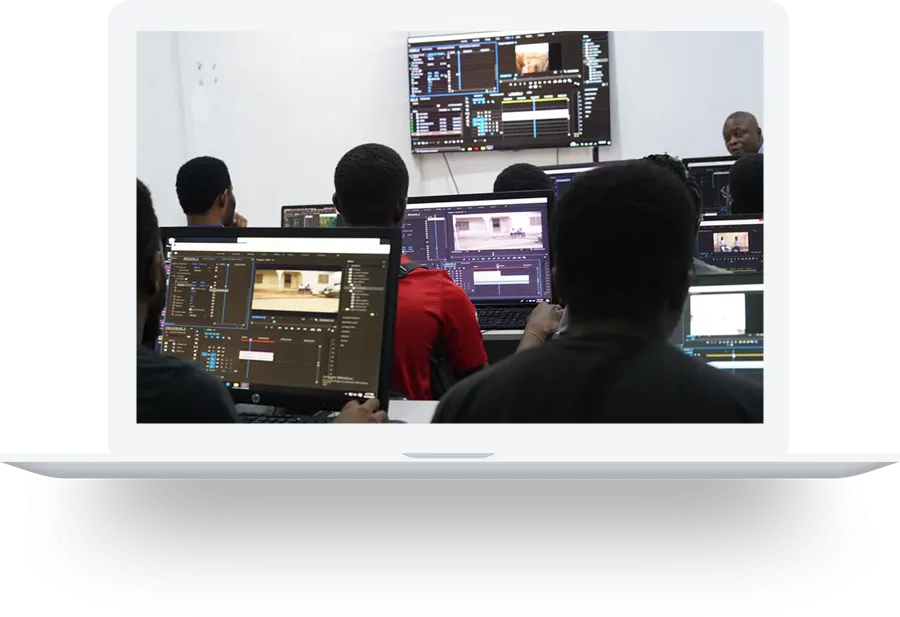
This is a practical learning experience, not a lecture-only class.
Inside the programme
The curriculum provides practical training across Adobe Premiere Pro, After Effects, Audition and DaVinci Resolve. Students learn to organize media, build a story, refine pacing, synchronize multiple cameras and finish versions for broadcast, web and social platforms.
Editing does not end at picture lock. The programme covers motion graphics, keying, tracking, sound repair, voice and music mixing, colour correction, creative grading, quality control, export settings and project archiving. Each tool is connected to a real production problem rather than taught as an isolated menu tour.
Full curriculum
Each module combines explanation, demonstration, exercises and feedback appropriate to the subject.
Practical work
Exercises lead toward finished work that demonstrates what you can do.
Practical assignments · Portfolio focusedHow you learn
Every major concept is connected to a practical task. Instructors demonstrate the workflow, explain why each decision matters and supervise learners as they apply it with relevant equipment or software.
Feedback focuses on both technical accuracy and communication: whether the work is clear, intentional and suitable for a real audience or client brief. The goal is repeatable professional judgment, not memorising a list of buttons.
Classes take place in Lagos with access to the production tools appropriate to the programme. Learners may work with professional cameras, lenses, lighting, sound, stabilisation, editing systems or digital platforms according to the course.
Progress is assessed through exercises, participation and finished practical work. Students are encouraged to organise their files correctly, document their process, respond to feedback and complete portfolio-ready projects they can continue developing after the programme.
Graduates leave with a clearer production workflow, practical reference material and an understanding of how the skill operates in employment, freelance and business settings. Course completion is a foundation; continued practice, portfolio development and responsible professional conduct remain essential.
From foundation to professional workflow
The programme is sequenced so that foundational knowledge supports the more demanding work that follows. Learners first develop a shared vocabulary and a dependable setup process, then apply those principles to guided assignments with increasing creative and technical responsibility.
Real production rarely happens under perfect conditions. Practical sessions therefore address preparation, troubleshooting, time management, communication and quality control as well as the headline creative skill. Students learn how to identify a problem, protect the work already completed and make a sensible decision when time or resources are limited.
A strong portfolio should show judgment, not just participation. Learners are guided to select, refine and present their best work with enough context for an employer, client or collaborator to understand their contribution. File naming, backups, version control, exports and delivery are treated as part of the craft because unreliable administration can undermine otherwise excellent creative work.
Where the subject involves clients or audiences, the course also discusses interpreting briefs, asking better questions, estimating realistic effort and responding to review comments without losing the objective. These habits help students move from classroom exercises to assignments that have deadlines, stakeholders and measurable expectations.
The training is suitable for committed beginners, self-taught creatives who need structure, professionals adding a related capability, entrepreneurs building an internal content function and teams that want a consistent workflow. Prior experience is helpful for some advanced exercises but is not required unless the current class schedule states otherwise.
Class size, timetable, fees and available formats may change between cohorts. Prospective learners should request the current course schedule before making travel or payment arrangements. Our team will explain the present format, what to bring and any software or equipment requirements.
Selected work
Selected Praxis productions give learners practical references for planning, camera work, lighting, sound, direction, editing and professional delivery.
Best fit
Common questions
No. The course begins with foundations and progresses into supervised practical work.
Yes. Learners work with relevant tools, complete exercises and build portfolio evidence.
Learners who complete the required classes and practical work receive a Certificate of Completion.
Use the registration enquiry button to request the latest schedule, class format, fee and payment information.
Next session
Tell us you are interested in Video Editing and our academy team will send the latest information.